Updated Jan 8, 2026
How Long Should a Recruiting Highlight Video Be?
Short answer:
A recruiting highlight video should be 2–4 minutes, show your best plays in the first 30 seconds, clearly identify you in every clip, and focus on game footage at full speed, not flashy edits.
This guide explains exactly how to build a highlight video that college coaches watch, evaluate, and respond to, based on how recruiting actually works today.
What Do College Coaches Want in a Recruiting Highlight Video?
College coaches want a short (2–4 minute), clearly labeled video that shows game-speed skills, decision-making, and role fit.
Most coaches decide whether to keep watching within the first 30 seconds.
Why Recruiting Highlight Videos Matter More Than Ever
Why Recruiting Highlight Videos Matter More Than Ever
Recruiting video is now the first filter, not a bonus.
With hundreds of emails and limited recruiting time, video allows coaches to:
Screen athletes quickly
Compare prospects efficiently
Decide who is worth watching live
Video alone rarely earns a scholarship, but no serious recruiting happens without it.
This matters even more in roster-heavy and equivalency sports, where coaches must evaluate dozens of potential fits quickly.
(See: Why College Coaches Don’t Respond to Emails)
Recruiting Video Impact (Why Coaches Take It Seriously)
Recruiting platforms consistently report that athletes with video receive significantly more coach views than those without, but the bigger difference is who keeps watching.
But exposure only helps if the video is built correctly.
Bad video = fast rejection.
Good video = extended evaluation.
What Coaches Actually Evaluate on Video
Coaches are not just watching highlights. They are evaluating three signals:
1. Skill Level
Can this athlete compete at our level right now or in 1–2 years?
2. Game IQ
How do they move off the ball, read plays, and react under pressure?
3. Coachability
Body language, effort between plays, and response to mistakes matter more than parents realize.
Sport-Specific Recruiting Video Mistakes Coaches See Every Year
Gymnastics
Only skills, no routines → coaches can’t assess consistency
No camera stability → deductions hard to see
Overuse of slow motion → hides rhythm issues
Volleyball
Only kills, no serve receive → fatal red flag
Sideline camera → hides spacing and reads
No back-row clips → limits recruiting level
Soccer
No identification → coach never knows who you are
Clips too short → no decision context
No defensive actions → incomplete evaluation
Swimming / Track
No full race → pacing invisible
No lane marking → coach confusion
Missing times overlay → useless context
Hockey
Only goals → ignores positioning and pace
No shift context → coaches can’t evaluate reads
Camera too tight → hides spacing and transitions
No defensive clips → incomplete evaluation
Updated Jan 8, 2026
How Long Should a Recruiting Highlight Video Be?
Short answer:
A recruiting highlight video should be 2–4 minutes, show your best plays in the first 30 seconds, clearly identify you in every clip, and focus on game footage at full speed, not flashy edits.
This guide explains exactly how to build a highlight video that college coaches watch, evaluate, and respond to, based on how recruiting actually works today.
What Do College Coaches Want in a Recruiting Highlight Video?
College coaches want a short (2–4 minute), clearly labeled video that shows game-speed skills, decision-making, and role fit.
Most coaches decide whether to keep watching within the first 30 seconds.
Why Recruiting Highlight Videos Matter More Than Ever
Why Recruiting Highlight Videos Matter More Than Ever
Recruiting video is now the first filter, not a bonus.
With hundreds of emails and limited recruiting time, video allows coaches to:
Screen athletes quickly
Compare prospects efficiently
Decide who is worth watching live
Video alone rarely earns a scholarship, but no serious recruiting happens without it.
This matters even more in roster-heavy and equivalency sports, where coaches must evaluate dozens of potential fits quickly.
(See: Why College Coaches Don’t Respond to Emails)
Recruiting Video Impact (Why Coaches Take It Seriously)
Recruiting platforms consistently report that athletes with video receive significantly more coach views than those without, but the bigger difference is who keeps watching.
But exposure only helps if the video is built correctly.
Bad video = fast rejection.
Good video = extended evaluation.
What Coaches Actually Evaluate on Video
Coaches are not just watching highlights. They are evaluating three signals:
1. Skill Level
Can this athlete compete at our level right now or in 1–2 years?
2. Game IQ
How do they move off the ball, read plays, and react under pressure?
3. Coachability
Body language, effort between plays, and response to mistakes matter more than parents realize.
Sport-Specific Recruiting Video Mistakes Coaches See Every Year
Gymnastics
Only skills, no routines → coaches can’t assess consistency
No camera stability → deductions hard to see
Overuse of slow motion → hides rhythm issues
Volleyball
Only kills, no serve receive → fatal red flag
Sideline camera → hides spacing and reads
No back-row clips → limits recruiting level
Soccer
No identification → coach never knows who you are
Clips too short → no decision context
No defensive actions → incomplete evaluation
Swimming / Track
No full race → pacing invisible
No lane marking → coach confusion
Missing times overlay → useless context
Hockey
Only goals → ignores positioning and pace
No shift context → coaches can’t evaluate reads
Camera too tight → hides spacing and transitions
No defensive clips → incomplete evaluation
Ideal Recruiting Video Length (Snippet-Optimized)
How long should a recruiting highlight video be?
Most recruiting highlight videos should be 2–4 minutes. Coaches typically decide whether to continue watching within 30–60 seconds, so the strongest clips must come first.
Game Footage vs. Drills: What College Coaches Actually Want to See
Sport | Ideal Length | Footage Type | What Coaches Prioritize |
|---|---|---|---|
Soccer | 3–5 min | Game film | Decision-making, movement |
Volleyball | 2–4 min | Match play | Serve receive, transitions |
Gymnastics | 4–6 min | Routines + skills | Consistency, execution |
Hockey | 3–5 min | Game shifts | Pace, reads, positioning |
Swimming | Full races | Meets | Time, technique, pacing |
Rule of thumb:
If the sport involves real-time decision-making, game footage matters most.
What If Your Sport Isn’t Listed?
The principles in this guide apply across all NCAA sports, but video expectations vary by sport and position.
If you compete in baseball, basketball, lacrosse, tennis, rowing/crew, acrobatics & tumbling, competitive cheer, or another NCAA sport, you must adapt:
Clip length
Camera angle
Skill emphasis
Context shown before and after plays
These sport-specific differences are covered inside our recruiting playbooks and related guides.
👉 Use this guide as the baseline, then apply sport-specific recruiting standards.
👉 If you’re unsure how your sport should be presented on video, use this guide as the baseline, then follow sport-specific recruiting standards.
Step-by-Step: How to Build a Recruiting Video That Gets Watched
1. Put Your Best Plays First
Open with 3–5 elite clips in the first 20–30 seconds. Do not warm up the viewer.
2. Make Identification Effortless
Use arrows, spot shadows, or freeze-frames before every clip. Coaches will not guess.
3. Prioritize Game Speed
Show full-speed plays with a few seconds before and after to reveal positioning, hustle, and awareness.
4. Keep It Short and Focused
Cut repetition. Variety beats volume.
5. Use a Clean Intro Slide
Include:
Name
Grad year
Position
School / club
GPA
Do NOT put personal contact information inside the video itself.
Recruiting videos are often forwarded between staff, shared internally, or stored long-term. Once published, you lose control of where they travel.
Where Coaches Should Find Your Contact Info (Safer & Smarter)
Put your contact details outside the video:
Email subject line (primary)
Email body (primary)
Recruiting profile page (Hudl, SportsRecruits, etc.)
Example subject line coaches actually open:
2027 | 6'1" Defense | AAA | GPA 3.8 | John Smith – Highlight Video
2027 | 6'1" Defense | AAA | GPA 3.8 | John Smith – Highlight Video
Ideal Recruiting Video Length (Snippet-Optimized)
How long should a recruiting highlight video be?
Most recruiting highlight videos should be 2–4 minutes. Coaches typically decide whether to continue watching within 30–60 seconds, so the strongest clips must come first.
Game Footage vs. Drills: What College Coaches Actually Want to See
Sport | Ideal Length | Footage Type | What Coaches Prioritize |
|---|---|---|---|
Soccer | 3–5 min | Game film | Decision-making, movement |
Volleyball | 2–4 min | Match play | Serve receive, transitions |
Gymnastics | 4–6 min | Routines + skills | Consistency, execution |
Hockey | 3–5 min | Game shifts | Pace, reads, positioning |
Swimming | Full races | Meets | Time, technique, pacing |
Rule of thumb:
If the sport involves real-time decision-making, game footage matters most.
What If Your Sport Isn’t Listed?
The principles in this guide apply across all NCAA sports, but video expectations vary by sport and position.
If you compete in baseball, basketball, lacrosse, tennis, rowing/crew, acrobatics & tumbling, competitive cheer, or another NCAA sport, you must adapt:
Clip length
Camera angle
Skill emphasis
Context shown before and after plays
These sport-specific differences are covered inside our recruiting playbooks and related guides.
👉 Use this guide as the baseline, then apply sport-specific recruiting standards.
👉 If you’re unsure how your sport should be presented on video, use this guide as the baseline, then follow sport-specific recruiting standards.
Step-by-Step: How to Build a Recruiting Video That Gets Watched
1. Put Your Best Plays First
Open with 3–5 elite clips in the first 20–30 seconds. Do not warm up the viewer.
2. Make Identification Effortless
Use arrows, spot shadows, or freeze-frames before every clip. Coaches will not guess.
3. Prioritize Game Speed
Show full-speed plays with a few seconds before and after to reveal positioning, hustle, and awareness.
4. Keep It Short and Focused
Cut repetition. Variety beats volume.
5. Use a Clean Intro Slide
Include:
Name
Grad year
Position
School / club
GPA
Do NOT put personal contact information inside the video itself.
Recruiting videos are often forwarded between staff, shared internally, or stored long-term. Once published, you lose control of where they travel.
Where Coaches Should Find Your Contact Info (Safer & Smarter)
Put your contact details outside the video:
Email subject line (primary)
Email body (primary)
Recruiting profile page (Hudl, SportsRecruits, etc.)
Example subject line coaches actually open:
2027 | 6'1" Defense | AAA | GPA 3.8 | John Smith – Highlight Video
Ideal Recruiting Video Length (Snippet-Optimized)
How long should a recruiting highlight video be?
Most recruiting highlight videos should be 2–4 minutes. Coaches typically decide whether to continue watching within 30–60 seconds, so the strongest clips must come first.
Game Footage vs. Drills: What College Coaches Actually Want to See
Sport | Ideal Length | Footage Type | What Coaches Prioritize |
|---|---|---|---|
Soccer | 3–5 min | Game film | Decision-making, movement |
Volleyball | 2–4 min | Match play | Serve receive, transitions |
Gymnastics | 4–6 min | Routines + skills | Consistency, execution |
Hockey | 3–5 min | Game shifts | Pace, reads, positioning |
Swimming | Full races | Meets | Time, technique, pacing |
Rule of thumb:
If the sport involves real-time decision-making, game footage matters most.
What If Your Sport Isn’t Listed?
The principles in this guide apply across all NCAA sports, but video expectations vary by sport and position.
If you compete in baseball, basketball, lacrosse, tennis, rowing/crew, acrobatics & tumbling, competitive cheer, or another NCAA sport, you must adapt:
Clip length
Camera angle
Skill emphasis
Context shown before and after plays
These sport-specific differences are covered inside our recruiting playbooks and related guides.
👉 Use this guide as the baseline, then apply sport-specific recruiting standards.
👉 If you’re unsure how your sport should be presented on video, use this guide as the baseline, then follow sport-specific recruiting standards.
Step-by-Step: How to Build a Recruiting Video That Gets Watched
1. Put Your Best Plays First
Open with 3–5 elite clips in the first 20–30 seconds. Do not warm up the viewer.
2. Make Identification Effortless
Use arrows, spot shadows, or freeze-frames before every clip. Coaches will not guess.
3. Prioritize Game Speed
Show full-speed plays with a few seconds before and after to reveal positioning, hustle, and awareness.
4. Keep It Short and Focused
Cut repetition. Variety beats volume.
5. Use a Clean Intro Slide
Include:
Name
Grad year
Position
School / club
GPA
Do NOT put personal contact information inside the video itself.
Recruiting videos are often forwarded between staff, shared internally, or stored long-term. Once published, you lose control of where they travel.
Where Coaches Should Find Your Contact Info (Safer & Smarter)
Put your contact details outside the video:
Email subject line (primary)
Email body (primary)
Recruiting profile page (Hudl, SportsRecruits, etc.)
Example subject line coaches actually open:
2027 | 6'1" Defense | AAA | GPA 3.8 | John Smith – Highlight Video
Tools Coaches Are Used to Seeing
Hudl / Veo / SportsRecruits – athlete-friendly platforms with tracking
YouTube (Unlisted) – widely accepted
Canva / Clipchamp – clean, simple edits
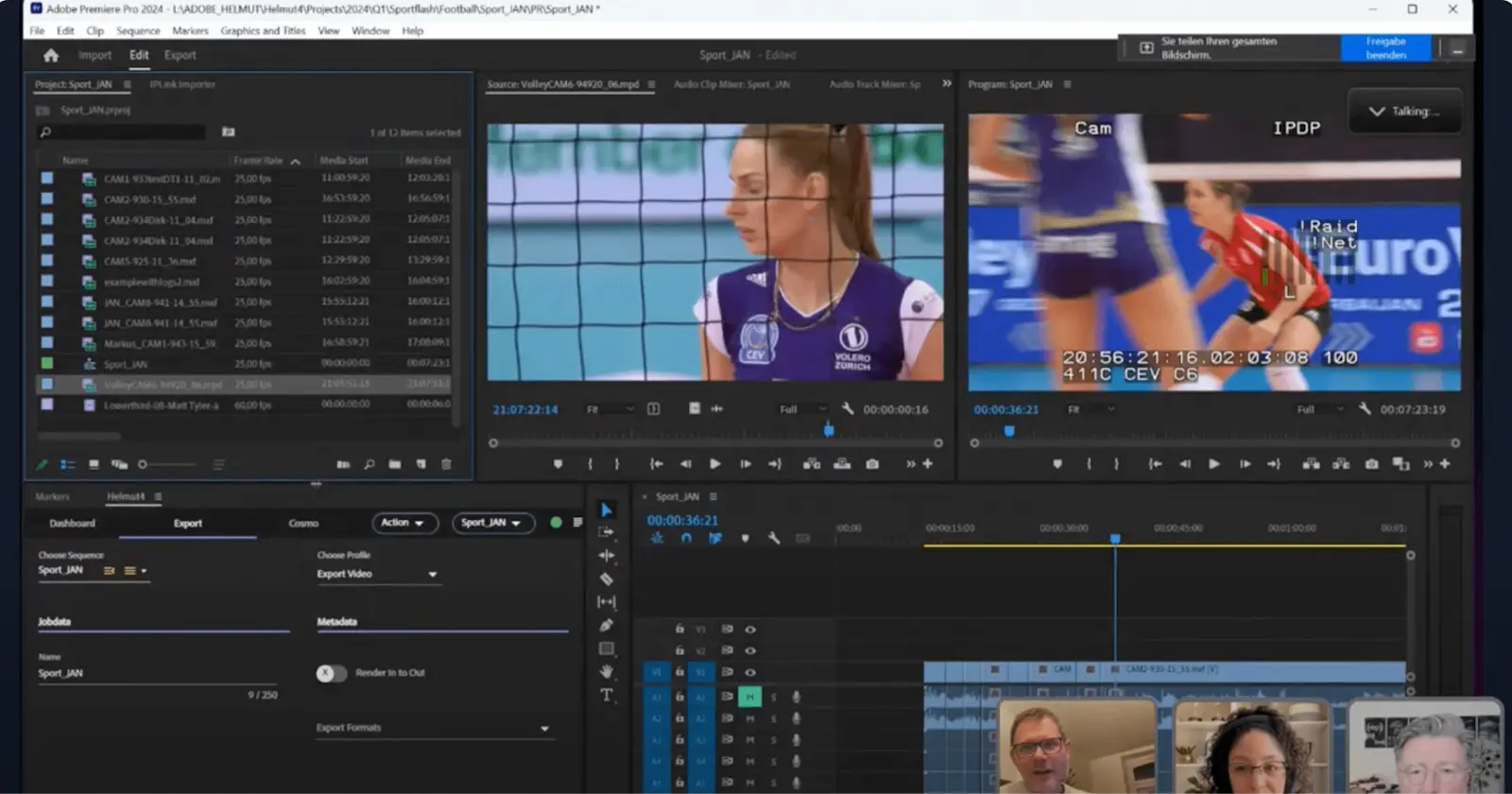
Premiere Pro – optional, not required
Tool | Best For | Cost | Downsides |
|---|---|---|---|
YouTube | Universal sharing | Free | No recruiting tools |
Hudl | Team sports | $$ | Overkill for some |
SportsRecruits | Active recruiting | $$$ | Subscription required |
Canva / Clipchamp | Editing only | $ | Hosting needed |
Avoid: copyrighted music, flashy transitions, slow-motion effects.
Common Highlight Video Mistakes (That Kill Recruiting)
Videos longer than 5 minutes
Music overlays or cinematic intros
No identifiers
Poor angles or shaky footage
Highlighting celebrations instead of decisions
These mistakes explain why many athletes are “seen” but never contacted.
How to Share Your Highlight Video With Coaches
Upload to Youtube as Unlisted if you want to retain privacy for your athlete
Title clearly: Name – Grad Year – Position
Email targeted coaches only
Include academics and coach contact info
Follow up once after 10–14 days (within NCAA rules)
2027 | 6'1" Defense | AAA | GPA 3.8 | John Smith – Highlight Video
2027 | 6'1" Defense | AAA | GPA 3.8 | John Smith – Highlight Video
If you’re unsure why emails go unanswered, read:
👉 Why College Coaches Don’t Respond to Emails
Video Privacy & Safety Best Practices
Use Unlisted, not Public
Share only with coaches and platforms
Never include home address or personal info
Parents manage links for under-18 athletes
Recruiting Video FAQs (Snippet-Ready)
Do college coaches watch full highlight videos?
Usually no. Most coaches decide within the first 30–60 seconds.
Does video quality matter?
Yes. Clear, stable, and well-lit footage signals seriousness.
Can video alone earn a scholarship?
Rarely. Video opens doors; communication, visits, and fit close them.
Beyond the Video: Why Most Athletes Still Miss Out
A strong highlight video gets attention, but recruiting is a system, not a single asset.
Athletes who succeed combine:
Video
Strategic outreach
Academic leverage
Proper timing
This is especially true in equivalency sports where aid is negotiated, not guaranteed
(see: NCAA Scholarship Rules Explained: Headcount vs. Equivalency).
Ready for the Complete System?
Most families don’t fail because their athlete isn’t good enough.
They fail because the process is fragmented, late, or reactive.
If you want a clear, repeatable recruiting system, not guesswork or conflicting advice, the Recruiting Playbooks include:
Outreach templates coaches respond to
GPA and eligibility trackers
Year-by-year recruiting timelines
Position-specific video checklists
Real-world examples from recruited athletes
👉 Build a recruiting strategy that actually works.
Download the Recruiting Playbooks and replace uncertainty with clarity.
Tools Coaches Are Used to Seeing
Hudl / Veo / SportsRecruits – athlete-friendly platforms with tracking
YouTube (Unlisted) – widely accepted
Canva / Clipchamp – clean, simple edits
Premiere Pro – optional, not required
Tool | Best For | Cost | Downsides |
|---|---|---|---|
YouTube | Universal sharing | Free | No recruiting tools |
Hudl | Team sports | $$ | Overkill for some |
SportsRecruits | Active recruiting | $$$ | Subscription required |
Canva / Clipchamp | Editing only | $ | Hosting needed |
Avoid: copyrighted music, flashy transitions, slow-motion effects.
Common Highlight Video Mistakes (That Kill Recruiting)
Videos longer than 5 minutes
Music overlays or cinematic intros
No identifiers
Poor angles or shaky footage
Highlighting celebrations instead of decisions
These mistakes explain why many athletes are “seen” but never contacted.
How to Share Your Highlight Video With Coaches
Upload to Youtube as Unlisted if you want to retain privacy for your athlete
Title clearly: Name – Grad Year – Position
Email targeted coaches only
Include academics and coach contact info
Follow up once after 10–14 days (within NCAA rules)
2027 | 6'1" Defense | AAA | GPA 3.8 | John Smith – Highlight Video
If you’re unsure why emails go unanswered, read:
👉 Why College Coaches Don’t Respond to Emails
Video Privacy & Safety Best Practices
Use Unlisted, not Public
Share only with coaches and platforms
Never include home address or personal info
Parents manage links for under-18 athletes
Recruiting Video FAQs (Snippet-Ready)
Do college coaches watch full highlight videos?
Usually no. Most coaches decide within the first 30–60 seconds.
Does video quality matter?
Yes. Clear, stable, and well-lit footage signals seriousness.
Can video alone earn a scholarship?
Rarely. Video opens doors; communication, visits, and fit close them.
Beyond the Video: Why Most Athletes Still Miss Out
A strong highlight video gets attention, but recruiting is a system, not a single asset.
Athletes who succeed combine:
Video
Strategic outreach
Academic leverage
Proper timing
This is especially true in equivalency sports where aid is negotiated, not guaranteed
(see: NCAA Scholarship Rules Explained: Headcount vs. Equivalency).
Ready for the Complete System?
Most families don’t fail because their athlete isn’t good enough.
They fail because the process is fragmented, late, or reactive.
If you want a clear, repeatable recruiting system, not guesswork or conflicting advice, the Recruiting Playbooks include:
Outreach templates coaches respond to
GPA and eligibility trackers
Year-by-year recruiting timelines
Position-specific video checklists
Real-world examples from recruited athletes
👉 Build a recruiting strategy that actually works.
Download the Recruiting Playbooks and replace uncertainty with clarity.
Tools Coaches Are Used to Seeing
Hudl / Veo / SportsRecruits – athlete-friendly platforms with tracking
YouTube (Unlisted) – widely accepted
Canva / Clipchamp – clean, simple edits
Premiere Pro – optional, not required
Tool | Best For | Cost | Downsides |
|---|---|---|---|
YouTube | Universal sharing | Free | No recruiting tools |
Hudl | Team sports | $$ | Overkill for some |
SportsRecruits | Active recruiting | $$$ | Subscription required |
Canva / Clipchamp | Editing only | $ | Hosting needed |
Avoid: copyrighted music, flashy transitions, slow-motion effects.
Common Highlight Video Mistakes (That Kill Recruiting)
Videos longer than 5 minutes
Music overlays or cinematic intros
No identifiers
Poor angles or shaky footage
Highlighting celebrations instead of decisions
These mistakes explain why many athletes are “seen” but never contacted.
How to Share Your Highlight Video With Coaches
Upload to Youtube as Unlisted if you want to retain privacy for your athlete
Title clearly: Name – Grad Year – Position
Email targeted coaches only
Include academics and coach contact info
Follow up once after 10–14 days (within NCAA rules)
2027 | 6'1" Defense | AAA | GPA 3.8 | John Smith – Highlight Video
If you’re unsure why emails go unanswered, read:
👉 Why College Coaches Don’t Respond to Emails
Video Privacy & Safety Best Practices
Use Unlisted, not Public
Share only with coaches and platforms
Never include home address or personal info
Parents manage links for under-18 athletes
Recruiting Video FAQs (Snippet-Ready)
Do college coaches watch full highlight videos?
Usually no. Most coaches decide within the first 30–60 seconds.
Does video quality matter?
Yes. Clear, stable, and well-lit footage signals seriousness.
Can video alone earn a scholarship?
Rarely. Video opens doors; communication, visits, and fit close them.
Beyond the Video: Why Most Athletes Still Miss Out
A strong highlight video gets attention, but recruiting is a system, not a single asset.
Athletes who succeed combine:
Video
Strategic outreach
Academic leverage
Proper timing
This is especially true in equivalency sports where aid is negotiated, not guaranteed
(see: NCAA Scholarship Rules Explained: Headcount vs. Equivalency).
Ready for the Complete System?
Most families don’t fail because their athlete isn’t good enough.
They fail because the process is fragmented, late, or reactive.
If you want a clear, repeatable recruiting system, not guesswork or conflicting advice, the Recruiting Playbooks include:
Outreach templates coaches respond to
GPA and eligibility trackers
Year-by-year recruiting timelines
Position-specific video checklists
Real-world examples from recruited athletes
👉 Build a recruiting strategy that actually works.
Download the Recruiting Playbooks and replace uncertainty with clarity.
It's not the most talented kids who get scholarships.
It's the ones with the right plan.
Our playbooks break down timelines, outreach,
and scholarship realities - by sport.
It's not the most talented kids who get scholarships.
It's the ones with the right plan.
Our playbooks break down timelines, outreach,
and scholarship realities - by sport.